Mobile, Full Context
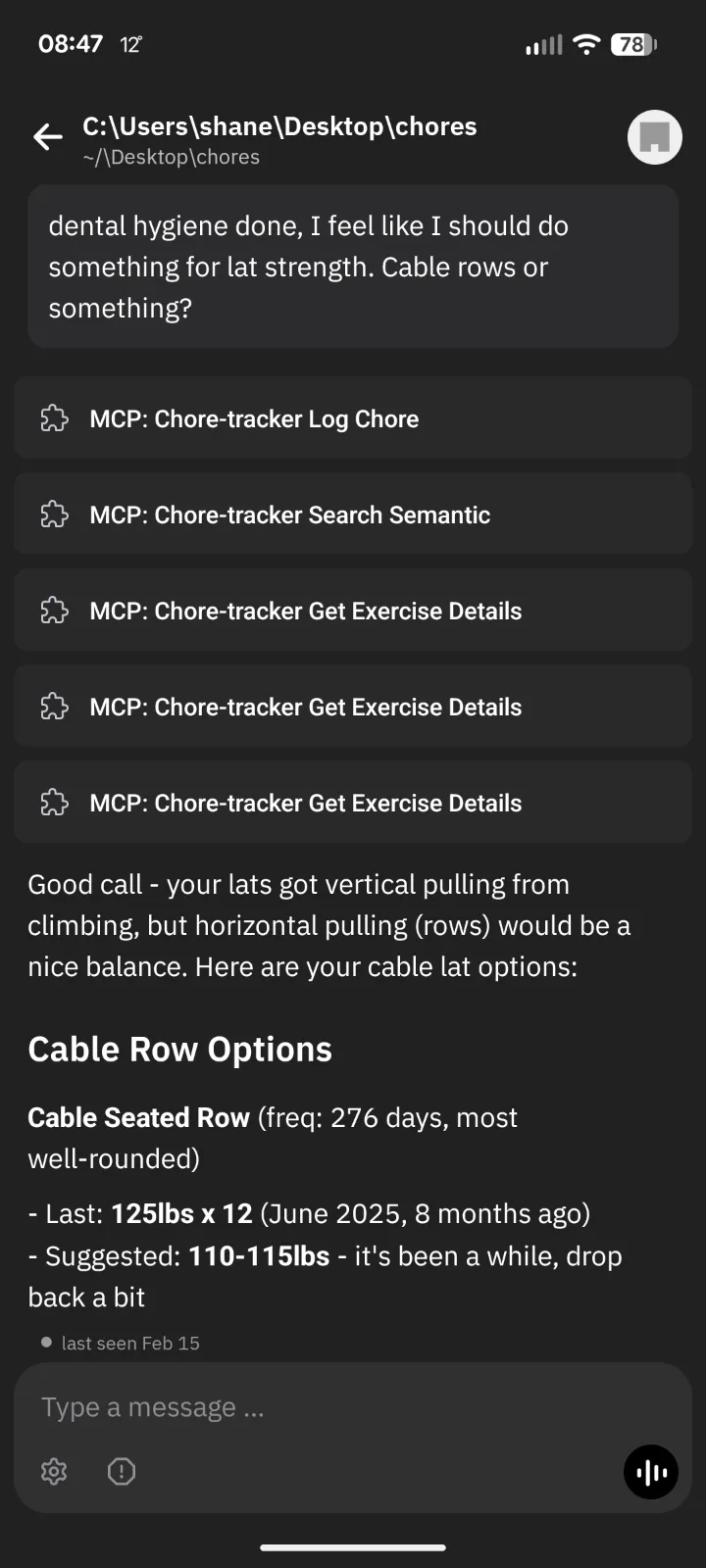
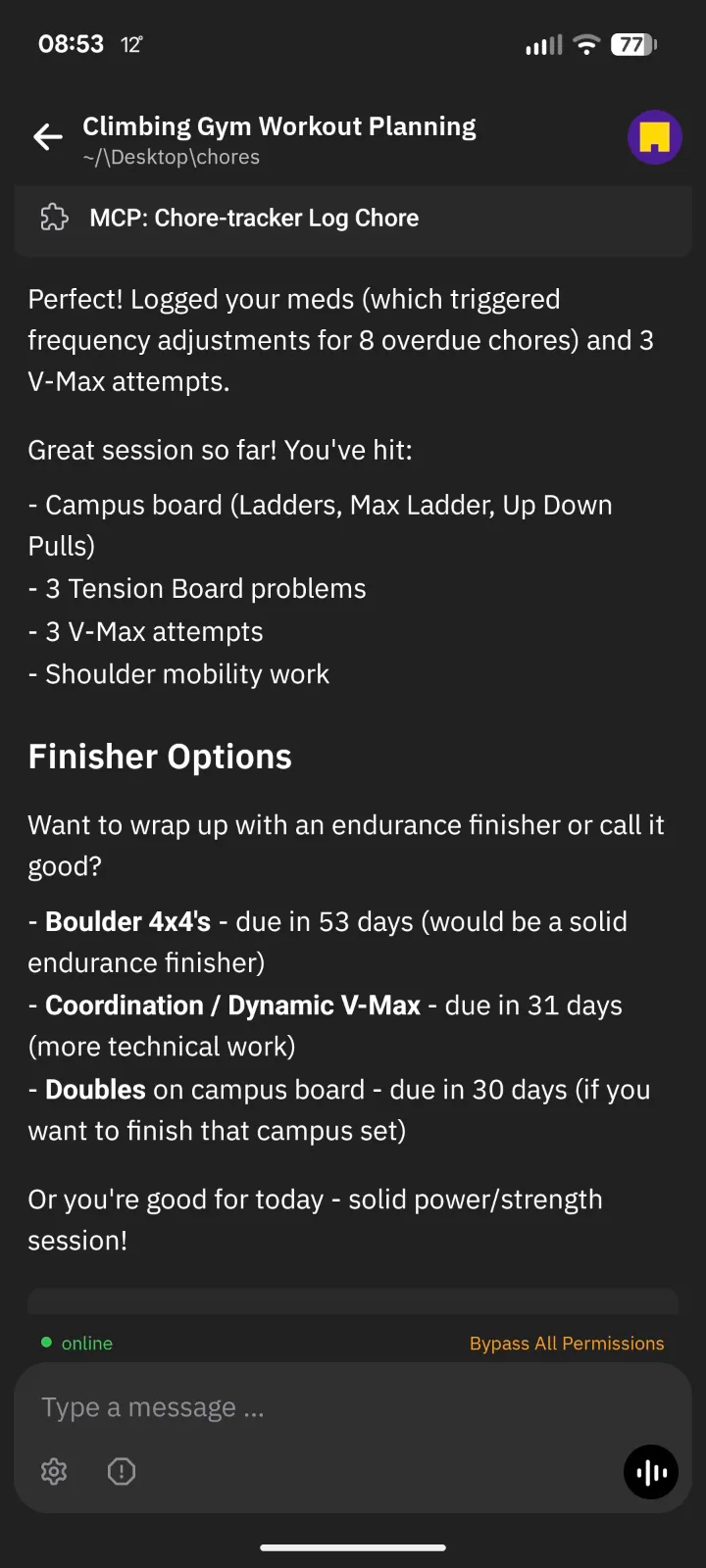
Two real mobile snapshots showing why this matters: the same task graph and tools are available away from your desk.
Fewer actions in. More useful signal out.
Scroll to explore
Check a box in a normal to-do app and nothing else happens. The box doesn't know it's related to other boxes. It doesn't remember when you last checked it, or how often you tend to. It certainly doesn't adjust its own schedule based on what you actually do.
This project treats tasks as a graph, not a list. Log one thing and updates ripple through every parent category it belongs to. Scheduling adapts from real behavior. Exercise is the clearest place to see it (the hierarchy is deep and the tags are dense), but the same engine runs household cleaning, plant care, hygiene, and wellness routines.
Log one exercise (say, a kettlebell Bulgarian split squat) and the system walks up every parent it belongs to. That single log updates "legs," "unilateral," "kettlebell," "strength," and "exercise" all at once. One action, dozens of nodes touched.
Exercise is the best place to see this because the tagging runs six dimensions deep: movement pattern, muscles, equipment, energy system, objective, type. The graph below lets you explore the full hierarchy.
Interactive Category Hierarchy
Click any segment to zoom in. Click center to zoom back out. This exercise subset contains 353 nodes across 6 dimensions.
The animation below shows what happens when one task fires: the update climbs every path to the root. Same thing happens when you log a cleaning task, water a plant, or check off a morning routine. One action, many updates.
Cascade Animation
Example shown: one "KB Bulgarian Split Squat" log ripples through multiple parent paths and converges at the top-level Exercise node.
Single-example blast radius from the cascade view. Immediate updates are dozens deep inside a graph with hundreds of nodes.
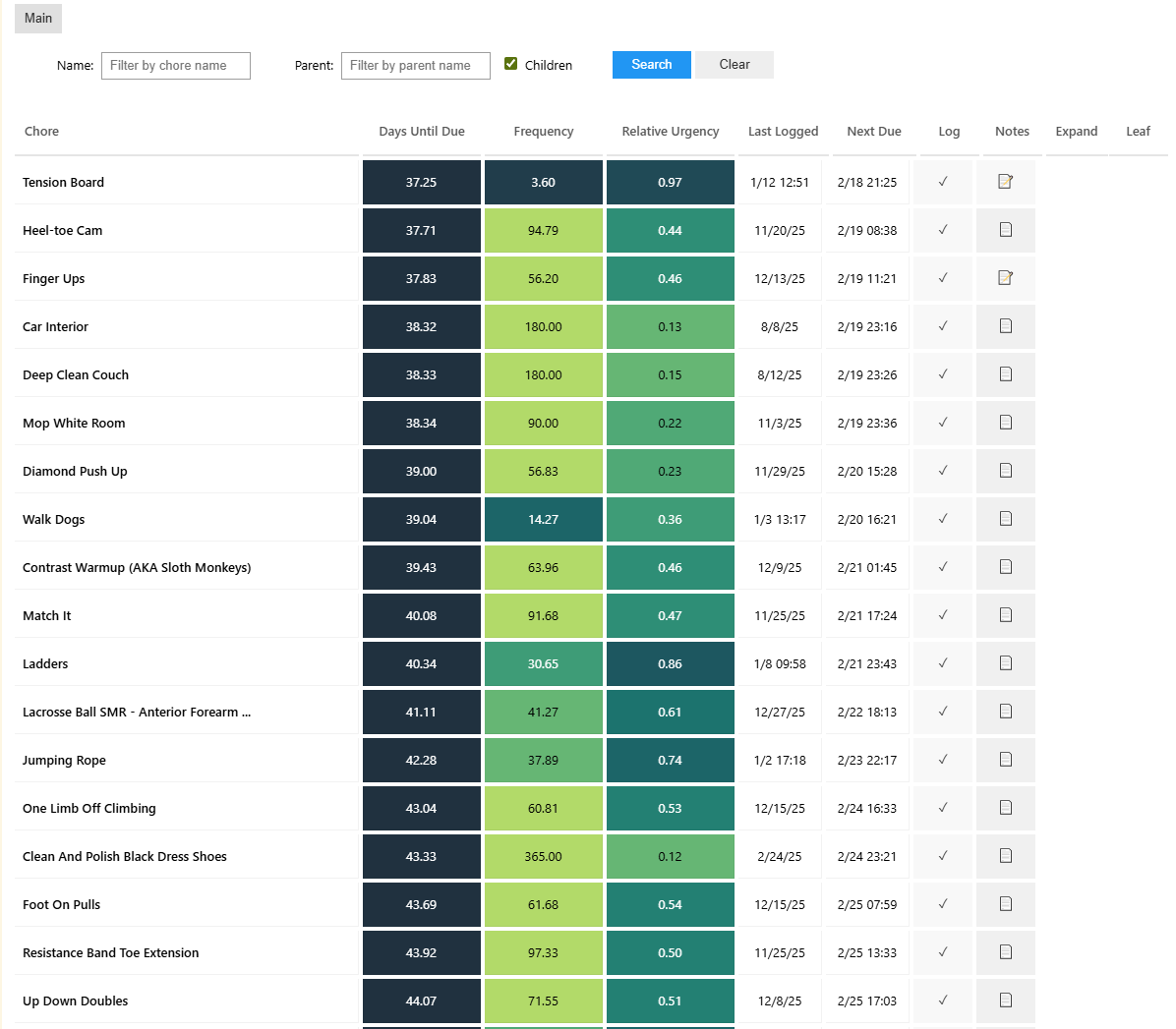
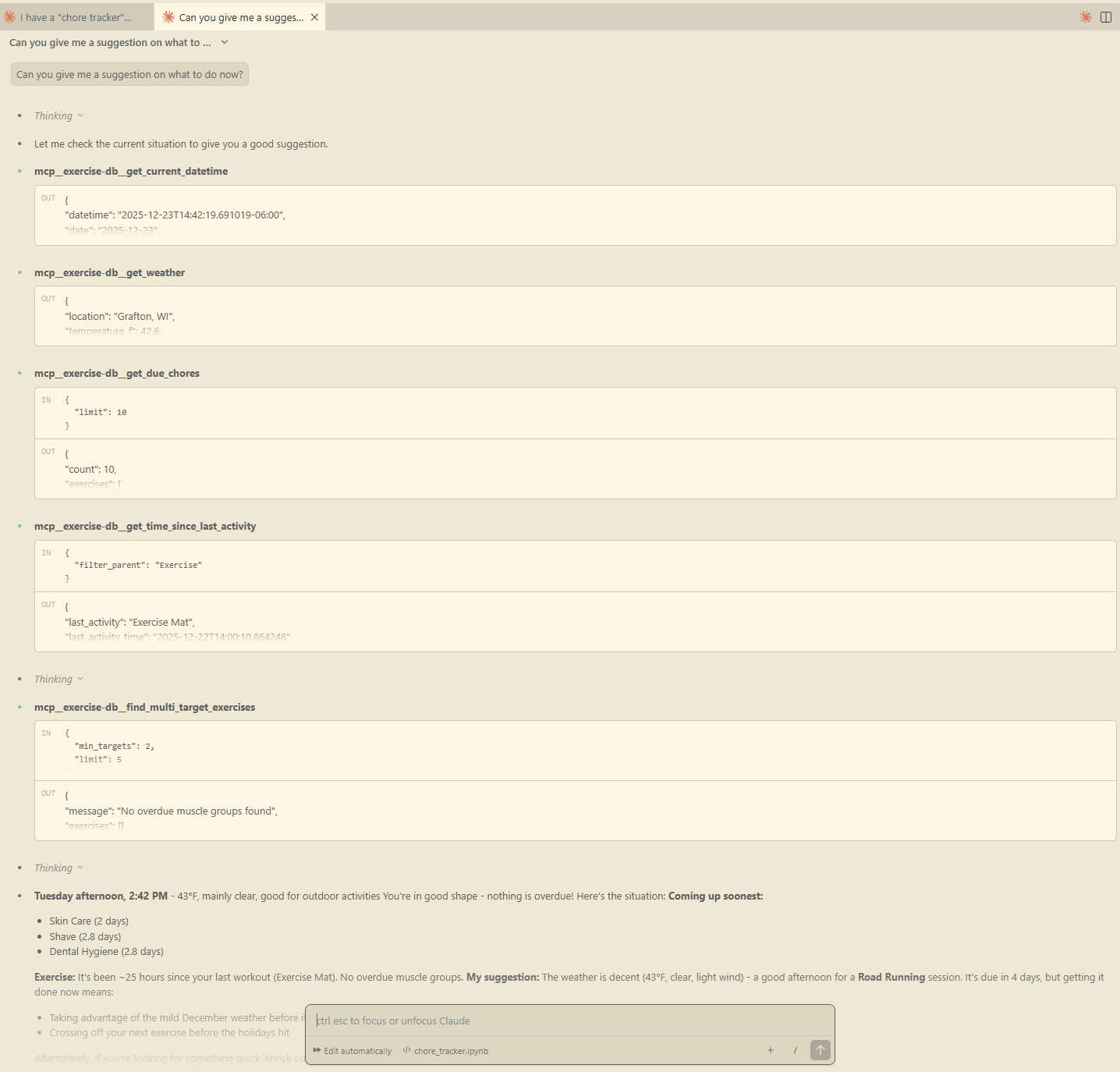
You can use a table UI, a desktop coding workflow, or mobile chat. All three write to the same underlying task graph and frequency model.
The mobile workflow is especially useful when away from a computer, including building climbing workouts on the go with climbing-specific logging guidance.
Two real mobile snapshots showing why this matters: the same task graph and tools are available away from your desk.
This started as a Google Sheet in 2016. I logged tasks by hand, tuned cadences by feel, and it worked well enough for years. Then the sheet became code: a Python engine with recursive logging and adaptive scheduling. Then the code got an interface: MCP tools that let an AI assistant log tasks, check urgency, search the graph, and build plans — all inside a conversation.
Each phase meant less typing and better decisions. The current version feels like talking to someone who remembers what you did, knows what's overdue, and can help you plan the next week.
Key shift: MCP turns task management from "I log everything" into "the agent helps execute and orchestrate."
The agent can execute task operations, but the system is built to stay inspectable and reversible. You can review current state, see why a recommendation was made, and correct individual entries without breaking the broader history.
Architecture pattern: a general intelligence agent orchestrates tools and calls specialized models where they outperform broad language models.
The AI assistant understands what you're asking and decides which tools to call. But when it comes to predicting which task you'll pick next, it hands off to a dedicated ML ranker trained on your actual behavior history. The ranker is better at that one narrow job than any general model.
One layer for conversation and reasoning. Another for precision scoring. The assistant decides when to use the ranker, then blends its output with everything else it knows about your goals and context.
The predictor is one tool in the agent's toolkit, not a replacement for general reasoning.
Frequency is measured in days between expected completions. A higher frequency value means the task is due less often; a lower value means it is due more often.
Each task starts from a baseline cadence. Then the system adapts using completion timing and non-completion: chosen before due date -> divide by 1.382 (surfaces more often), ignored until late/overdue -> multiply by 1.382 (surfaces less often).
Survival of the chosen: the tasks you actively choose keep earning attention, while neglected tasks gradually drift outward.
Frequency Evolution Over Time
Illustrative mixed-domain tasks with realistic divergence. Choosing tasks early pulls their interval down (/1.382); repeatedly ignoring tasks pushes it up (x1.382).
Before & After
Left: near-uniform starting cadence. Right: the same task IDs after adaptation. Each bar represents one task.
Structure the data well and prediction becomes almost easy. When every log carries hierarchy, timing, and frequency context, patterns emerge that a flat to-do list would never reveal. The model can learn that after you climb, you tend to stretch. That you clean the kitchen on Sundays. That when urgency spikes on three plant tasks at once, you handle them together.
The specialist ranker scores likely next tasks from your behavior history. The assistant decides when to consult it, mixes in its own reasoning about your goals and schedule, and surfaces a recommendation.